Pharmacy Refrigerator YC-130 L
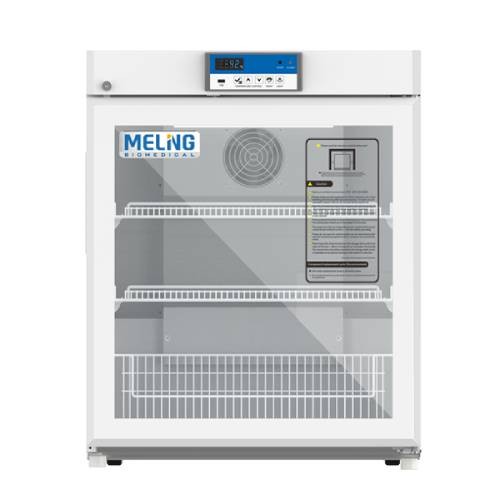
Pharmacy Refrigerator YC-130 L
1949 views
5,900.00 ﷼
VAT exempt
Ex Tax: 5,900.00 ﷼
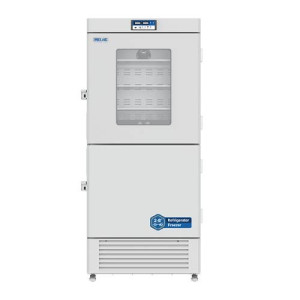
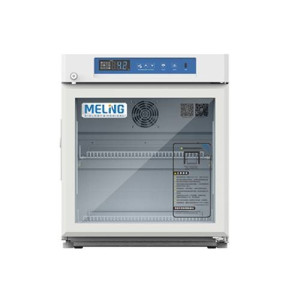
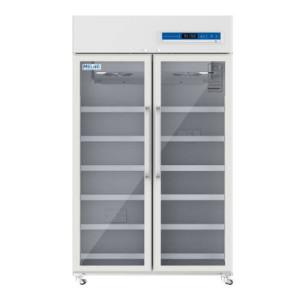
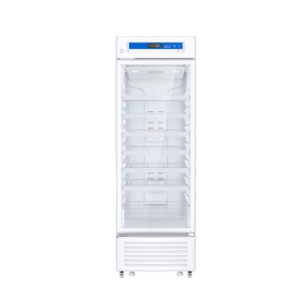
The YC-130L medicine refrigerator is a undercounter medical refrigerator designed for storing biological products, vaccines, medicines, and reagents within a controlled temperature range of 2 to 8 ℃. It uses air cooling and a precise control system to maintain stable storage conditions in medical and pharmaceutical facilities.
Main Features
- Precise temperature control system.
- Air cooling with automatic defrost.
- Built-in USB data logger.
- Audible and visual alarms for multiple operating conditions.
- Glass door with heater.
- Key door lock to prevent unauthorized access.
- 3 adjustable coated steel wire shelves.
- 25 mm access port.
- Backup battery.
- RS485 interface and remote alarm contact.
Applications
Used in pharmacies, hospitals, pharmaceutical factories, disease prevention and control centers, clinics, laboratories, and health centers.
Technical Specifications
- Model: YC-130L.
- Capacity: 130 L.
- Internal dimensions: 554 × 510 × 588 mm.
- External dimensions: 650 × 625 × 810 mm.
- Packing dimensions: 723 × 703 × 880 mm.
- Net/Gross weight: 51 / 61 kg.
- Temperature range: 2 to 8 ℃.
- Ambient temperature: 16 to 32 ℃.
- Cooling performance: 5 ℃.
- Climate class: N.
- Controller: Microprocessor.
- Display: Digital.
- Compressor: 1.
- Refrigerant: R600a.
- Insulation thickness: Left/Right 48 mm, Back 50 mm.
- Outer material: PCM.
- Inner material: Sprayed aluminum plate / optional stainless steel.
- Number of shelves: 3.
- Lighting: LED.
- Casters: 2 + 2 leveling feet.
- Data logging: USB, records every 10 minutes, for 2 years.
Alarms and Safety
- High or low temperature alarm.
- High ambient temperature alarm.
- Power failure alarm.
- Low battery alarm.
- Sensor failure alarm.
- Door open alarm.
- USB data logger failure alarm.
- Communication failure alarm.

Secure
Secured

Packing
Save delivery

Instant
Delivery

Free gift
With order

Payments
4 Installments